

Welcome to today’s post.
In today’s post I will be showing you how to improve code by generating documentation for it by using prompt responses from deployed Azure OpenAI GPT models.
In a previous post, I showed how to generate source code using Azure OpenAI GPT models. By default, these generated outputs do not automatically produce code that has improved documentation. When we ask for code for a particular algorithm or a requirement, the resulting output is the minimum code to address the requirement in the prompt.
In another post, I showed how to improve existing source code by asking the model to fix the bugs in the code, refactor the code, and optimize the code.
In today’s post, I will show another way to use the GPT OpenAI models to improve source code by adding documentation to the source code.
Source Code Documentation and its Use
In this section, I will explain the basics of source code documentation, and how we improve source code when we manually document it.
These are two main areas where source code documentation is applied within a function:
- In the function header declaration
- Before or after code lines within the code block.
Documentation of the Function Header
A typical C# function declaration consists of a function declaration that consists of the visibility of the function, the name of the function, the output type, a list of input parameters, and the code block bounded by braces. An example is shown below:
public int ProcessTwoNumbers(int a, int b)
{
	int i = a * 2;
	int j = b * 2;
	return i + j;
}
In Visual Studio IDE, one of the productivity shortcuts that is quite useful is the generation of the documentation stub for the function/method declaration header. This is done by pressing the forward slash character (/) three times:
///
What this does is to generate the following documentation method stub above the function:
/// <summary>
/// </summary>
/// <param name="a"></param>
/// <param name="b"></param>
/// <returns></returns>
public int ProcessTwoNumbers(int a, int b)
{
	int i = a * 2;
	int j = b * 2;
	return i + j;
}
The above generated documentation stub does not contain a summary description of the function or details on the return result. In the above function, there are very few details on what the function does, that the stub generator could use to guess the summary or describe the return result. The generation of the input parameters is mechanical and can be quite productive for us when there are many input parameters.
After adding documentation to the header, it looks like this:
/// <summary>
/// ProcessTwoNumbers()
/// </summary>
/// <param name="a"></param>
/// <param name="b"></param>
/// <returns>
/// Returns double the sum of two numbers
/// </returns>
Documentation of Code
With code documentation, we aim to explain what the code does, so that a developer that has been handed the code can continue the maintenance and enhancement of the code.
In the example above, we can add code documentation above each line, or after the trailing semicolon that ends the command line. Below is sample documentation for each line of code:
public int ProcessTwoNumbers(int a, int b)
{
	int i = a * 2; // double the first input number.
	int j = b * 2; // double the second input number.
	return i + j; // sum the two doubled numbers and return it.
}
We have seen how to manually add basic documentation to a C# function. In the next section, I will show how to use the OpenAI GPT Code Completion model to add documentation to a function.
Source Code Documentation with the OpenAI GPT Model
In this section, I will show how to use the OpenAI GPT Code Completion model to generate documentation for a function.
I will also explain some of the peculiarities that are in the documentation generation process and the rationale on why it works in the way it does.
In the example below, I use the same client application I used in the previous post for submitting single-line GPT prompts using the Azure OpenAI SDK. In another post, I showed an upgraded GPT Code Completion experience allowing multiple line prompts.
Generation of Function Declaration Header Documentation
Below is a prompt I have submitted to document the function ItemFrequency():
Add comments to the function:\n
---
\n
\n
/// <summary>\n
/// ItemFrequency()\n
/// </summary>\n
/// <param name="a"></param>\n
/// <returns></returns>\n
static Hashtable ItemFrequency(int[] a)\n
{\n
    if (a.Length == 0)\n
        return new Hashtable();\n
\n
    Hashtable rslt = new Hashtable();\n
\n
    for (int i = 0; i < a.Length; i++)\n
    {\n
        int val = a[i];\n
        if (!rslt.ContainsKey(val))\n
            rslt.Add(val, 0);\n
        rslt[val] = Convert.ToInt16(rslt[val])+1;\n
    }\n
\n
    return rslt;\n
}\n
\n
The above function takes an array of integers as input, the returns a hash table that consists of the keys consisting of each integer and the frequency it occurs in the array.
For example, the array:
[1,2,4,2,3,5,2,1,5]
Returns a hash table with the following frequencies:
| Number | Frequency |
| 1 | 2 |
| 2 | 3 |
| 3 | 1 |
| 4 | 1 |
| 5 | 2 |
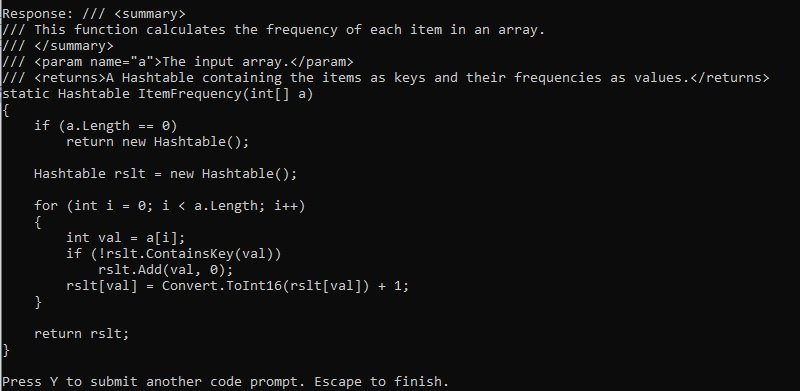
The response from the GPT model is a bit unexpected, and is shown below:
/// <summary>
/// This function calculates the frequency of each item in an array.
/// </summary>
/// <param name="a">The input array.</param>
/// <returns>A Hashtable containing the items as keys and their frequencies as values.</returns>
static Hashtable ItemFrequency(int[] a)
{
    if (a.Length == 0)
        return new Hashtable();

    Hashtable rslt = new Hashtable();

    for (int i = 0; i < a.Length; i++)
    {
        int val = a[i];
        if (!rslt.ContainsKey(val))
            rslt.Add(val, 0);
        rslt[val] = Convert.ToInt16(rslt[val]) + 1;
    }

    return rslt;
}
I thought that the prompt would have given me documentation in both the function declaration header and the code. It has just given documentation in the header.
Notice that the summary description shown:
/// This function calculates the frequency of each item in an array.
is derived from the function name and the code. Why is this so?
First, notice that the function name ItemFrequency, the input type int[], andtheoutput type Hashtable are used to compute the summary description for the function.
The return result description is:
/// <returns>A Hashtable containing the items as keys and their frequencies as values.</returns>
Notice that the function name ItemFrequency, theoutput type Hashtable, and the Hashtable class method ContainsKey() used within the code block are used to compute the return result description for the function.
A screenshot of the output is shown below:
I will explain how the source code lines documentation is generated.
Generation of Source Code Line Documentation
I will explain how source code documentation can be prompted, and how the GPT model uses code conversation context and pre-trained data to generate variations of documentation in the lines of code.
The first prompt I submitted for documentation generation is shown below:
Add comments to the code within the function.
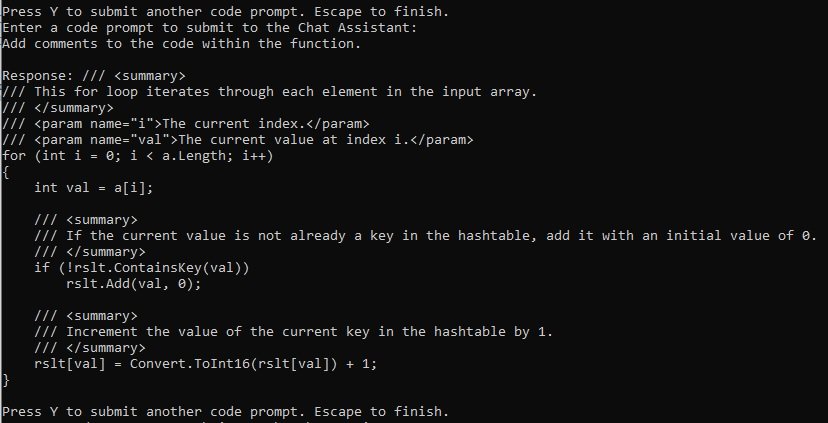
This is again another slightly unexpected response, and a bit excessive, and it is shown below:
/// <summary>
/// This for loop iterates through each element in the input array.
/// </summary>
/// <param name="i">The current index.</param>
/// <param name="val">The current value at index i.</param>
for (int i = 0; i < a.Length; i++)
{
    int val = a[i];

    /// <summary>
    /// If the current value is not already a key in the hashtable, add it with an initial value of 0.
    /// </summary>
    if (!rslt.ContainsKey(val))
        rslt.Add(val, 0);

    /// <summary>
    /// Increment the value of the current key in the hashtable by 1.
    /// </summary>
    rslt[val] = Convert.ToInt16(rslt[val]) + 1;
}
The code within the block has been documented, which is expected, however the remainder of the function, including the line returning the result and the function declaration header and header documentation is absent.
This section of generated documentation states the obvious and is quite excessive:
/// This for loop iterates through each element in the input array.
/// </summary>
/// <param name="i">The current index.</param>
/// <param name="val">The current value at index i.</param>
for (int i = 0; i < a.Length; i++)
…
With the for loop, experienced developers do not need to know what the pertinent constituent parameters of the for loop do. We could have just said: iterate through each element of the array.
A screenshot of the output is shown below:
I then rephrase the prompt as shown:
Please comment all lines of code within the function.
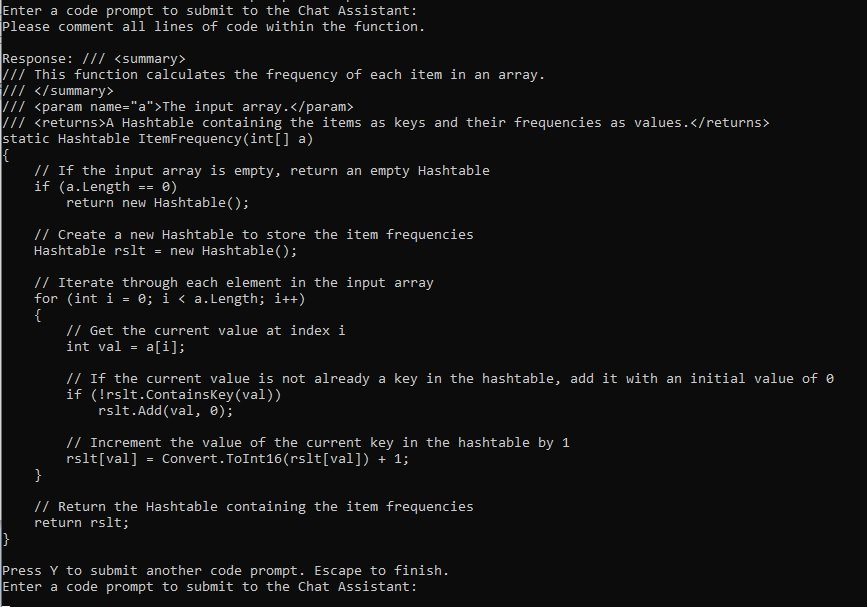
The response we get now is more concise and explanatory:
/// <summary>
/// This function calculates the frequency of each item in an array.
/// </summary>
/// <param name="a">The input array.</param>
/// <returns>A Hashtable containing the items as keys and their frequencies as values.</returns>
static Hashtable ItemFrequency(int[] a)
{
    // If the input array is empty, return an empty Hashtable
    if (a.Length == 0)
        return new Hashtable();

    // Create a new Hashtable to store the item frequencies
    Hashtable rslt = new Hashtable();

    // Iterate through each element in the input array
    for (int i = 0; i < a.Length; i++)
    {
        // Get the current value at index i
        int val = a[i];

        // If the current value is not already a key in the hashtable, add it with an initial value of 0
        if (!rslt.ContainsKey(val))
            rslt.Add(val, 0);

        // Increment the value of the current key in the hashtable by 1
        rslt[val] = Convert.ToInt16(rslt[val]) + 1;
    }

    // Return the Hashtable containing the item frequencies
    return rslt;
}
Here are some other observations on the code comments. In the source code lines documented below:
// Create a new Hashtable to store the item frequencies
Hashtable rslt = new Hashtable();
and
// Return the Hashtable containing the item frequencies
return rslt;
In the next section, I will explain how there are variations for the content that is generated for every prompted source code documentation, and how it adds to the creativity of the GPT model.
Documentation of Code is Generated in Variations
When we re-submit the same prompt again, there is something quite interesting that you will notice, and it is this: the generated content, which in this case is code, is output with variations in the semantic meaning.
I will show how this works based on the code-prompt that we submitted earlier.
Notice that the documentation is generated from both the syntax of the command line, such as the keywords new and return, theclass name Hashtable, and the name of the function, ItemFrequency.
A screenshot of the output is shown below:
Notice that there is something quite interesting. When we re-issue the previous prompt:
Add comments to the function.
We get slightly different variations of the source code comments:
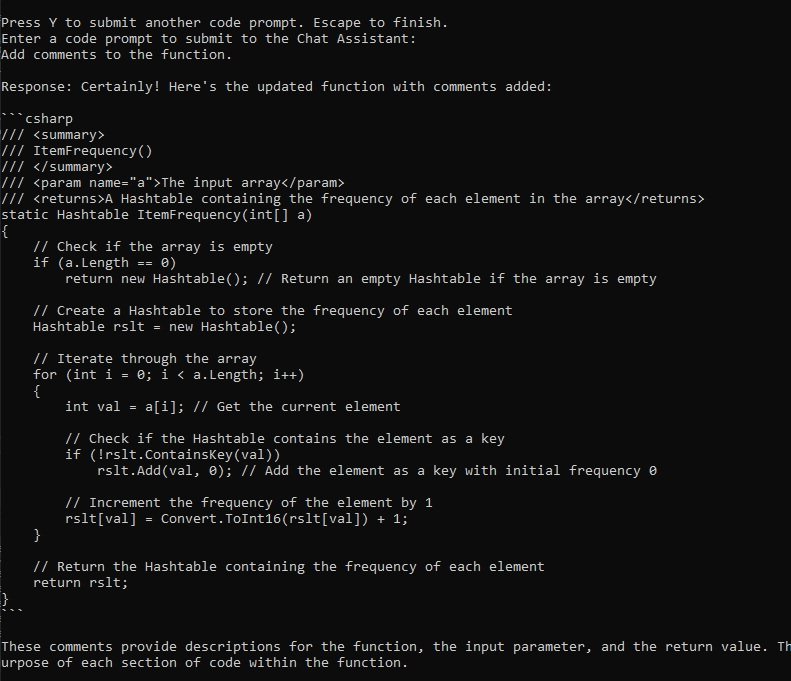
Let us look at first generated comment for the code line that increments the value in the array element:
rslt[val] = Convert.ToInt16(rslt[val]) + 1;
was:
// Increment the value of the current key in the hashtable by 1
it is now:
// Increment the frequency of the element by 1
Looking at the first generated comment for the code line that creates an instance of the hash table:
Hashtable rslt = new Hashtable();
was:
// Create a new Hashtable to store the item frequencies
it is now:
// Create a Hashtable to store the frequency of each element
You can see the documentation has regenerated a different variation of the content with the same semantic meaning.
The differences in variations of code documentation make the output content seem quite unique, and seemingly creative.
The creative outputs are produced from the following:
- Pre-trained model datasets containing similar code (functions, methods, code blocks etc.)
- Publicly available source code repositories input as model training data.
- Code prompts submitted to the model from other users.
- Context of the code completion history including submitted code segments.
- Variations in sentence structures and grammar.
A combination of the above inputs and models feeds back into the generative AI GPT code completion model to produce the seemingly creative outputs that we see.
In the above, we have seen how to apply GPT code completion prompts to generate source code documentation.
That is all for today’s post.
I hope that you have found this post useful and informative.

Andrew Halil is a blogger, author and software developer with expertise of many areas in the information technology industry including full-stack web and native cloud based development, test driven development and Devops.