
Welcome to today’s post.
In today’s post I will be explaining what Azure AI Content Safety is and show how to create use some of the features in the Azure AI Studio.
Content safety is requirement of online sites that share information that is uploaded from users is an important feature that should be taken seriously. The reason for this is that there is the potential for dangerously unsafe content to impact the business, customers, clients, and general audience that has access to the site.
Here are some reasons why unsafe content can have such a high impact:
- Damage to reputation of a business that allows unsafe content for its clients or customers.
- Damage to reputation of a service that displays unsafe content to its users or audience.
- Psychological harm to customers and the public when content is shared within a service.
- Government regulations prohibit services that allow unsafe content related to children and self-harm.
- Copyrighted content that is uploaded and shared in a service resulting in copyright and licensing infringements.
- Publishing content from generative AI that is used dishonestly in educational course assignments.
Due to the above reasons and many others, most high-profile sites, organizations, businesses and institutions have a separate layer of control that is applied to any content that is uploaded to the service. This layer of control is known as content moderation.
Content Moderation
Content moderation usually takes the form of one or more individuals that intercept uploaded content, review the content, then classify the content into different levels of suitability for public and client consumption. This is how movie content is classified before a classification panel and given an audience rating.
The most common levels of content safety assessment return as either safe or unsafe.
Safe content is passed through and permitted to be stored for public, business, client, or consumer use. Unsafe content is marked as blocked and moved into a separate folder, with the sender of the original content notified and advised of usage violations.
An alternative mode of content moderation uses non-human based assessment. This involves using artificial intelligence to assess and classify content. Moreover, this type of assessment uses trained AI content models (video, image, text) to determine the classification. The more highly trained the content moderation models are, the higher the accuracy will the classifications be.
With AI based content moderation, there will be significantly less intervention from human moderators, and in addition, lower payroll costs.
What is Azure AI Content Safety?
The content moderation service, Azure AI Content Safety is a resource that allows the moderation of content that is in the following four content categories:
Hate
Sexual
Self-harm
Violence
The moderation service can review both text and image-based content.
With text-based content safety, there are five features used to safeguard text:
- Moderate text content
- Groundedness detection
- Protected material detection for text
- Protected material detection for code
- Prompt shields
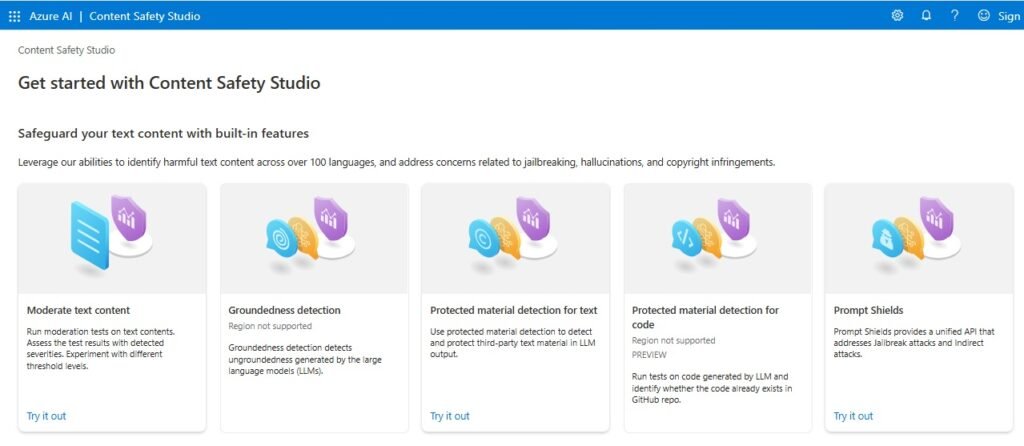
Moderate text detects content in one of the above four content categories, with each category given one of four severity-levels:
- Safe
- Low
- Medium
- High
Groundedness detection determines if the responses from AI-generated text in language models are correlated with an information source.
Protected material detection for text determines if AI-generated text infringes copyright protections on original text from content that can include literary works, song lyrics, poetry.
Protected material detection for code determines if AI-generated text infringes copyright protections on original text from content that can include source code examples and source code repositories.
Prompt shields determine if inputs to large language models are jailbreak attacks, which can be in the form of text inputs or documents.
With image-based content safety, there are two features used to safeguard images:
- Moderate images
- Moderate multimodal content
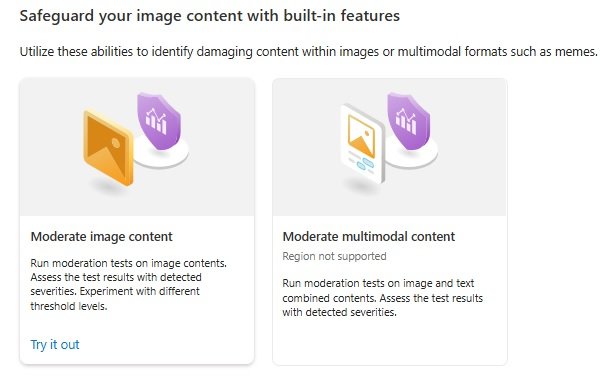
Moderate image content determines the safety of content within an image, classifying it into one of the above four content categories, with each category given one of four severity-levels:
- Safe
- Low
- High
Moderate multimodal content determines the safety of content that contains both text and image content. This includes text within images that can be read by OCR.
Creation of the Azure AI Content Safety Resource
Before an Azure AI Content Safety resource can be used in a REST API, client application, or in Azure AI Studio, it needs to be created with necessary security applied to it. The creation can be done through the Azure Portal.
Each Azure AI Content Safety resource requires a subscription, resource group, region, name and pricing tier as shown below:
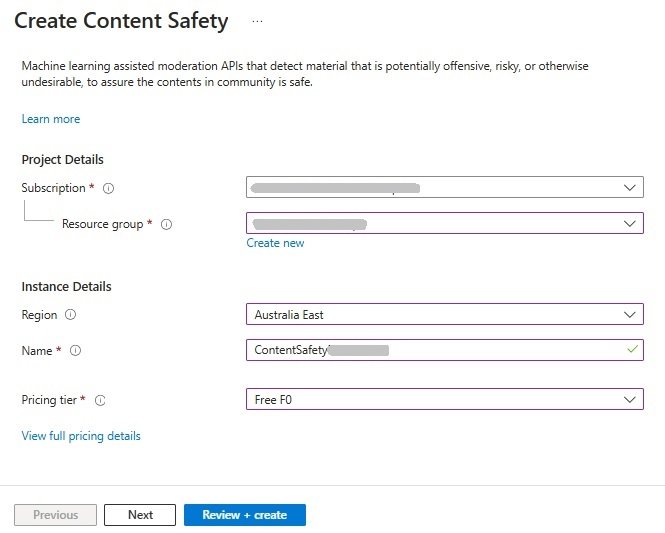
After creation, you will be able to access the Azure AI Studio or Content Safety Studio, however you will not be able to execute any of the content safety features on inputs.
If you were to attempt to use any features in the Content Safety Studio, you would get the following error:

To avoid the above error, you will need to assign your subscription account to an additional role within the Azure AI Content Safety resource. I will show how this is done.
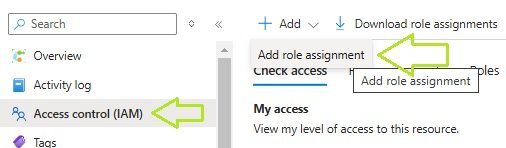
In the resource, click on the Access control (IAM) as shown, then the Add role assignment item as shown:
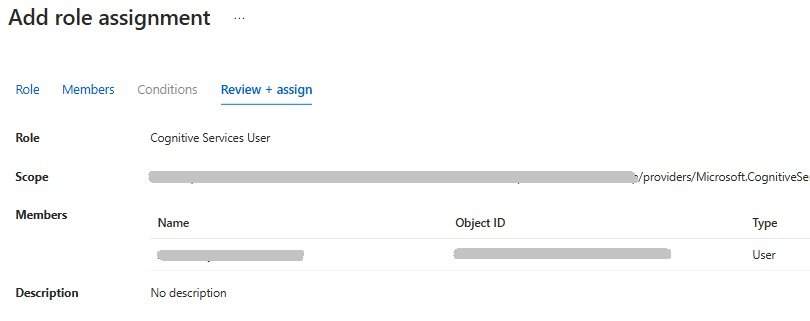
In the Add role assignment pane, select your subscription account and assign it to the Cognitive Services User role.
Once the role has been assigned, we are ready to use the Content Safety Studio.
To get to the Azure AI Content Safety Studio, westay in theopen the resource, and in the overview, scroll down until you see the link as shown:
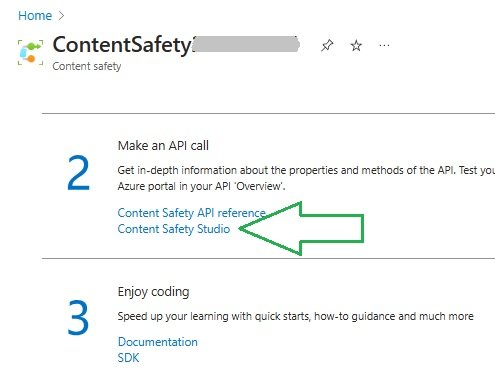
After you reach the studio, we will then be able to try out some of the features, which is what I will show in the next section.
Exploring the Content Safety Features
In this section, I will show some examples of how we can test some sample prompts with the Moderate text content and Protection material detection feature of the AI Content Safety service with sample prompts.
Below is the landing page for the Moderate text content feature:
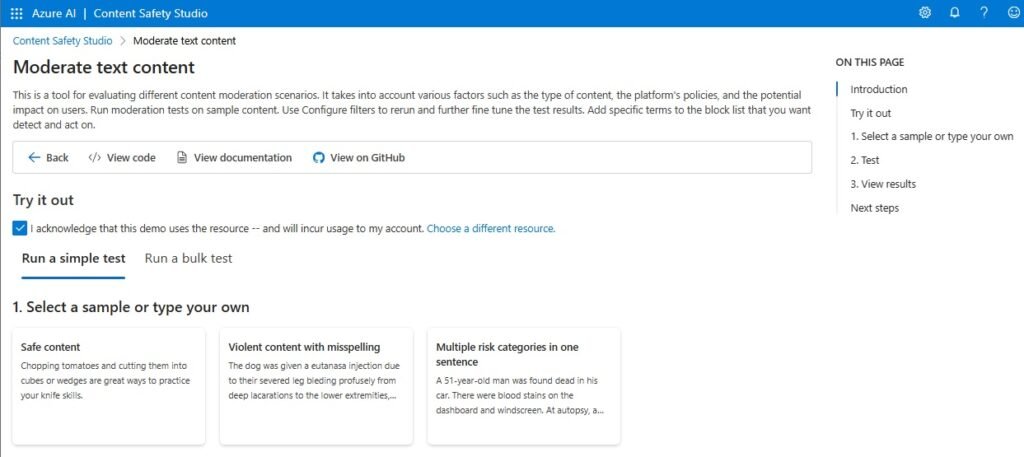
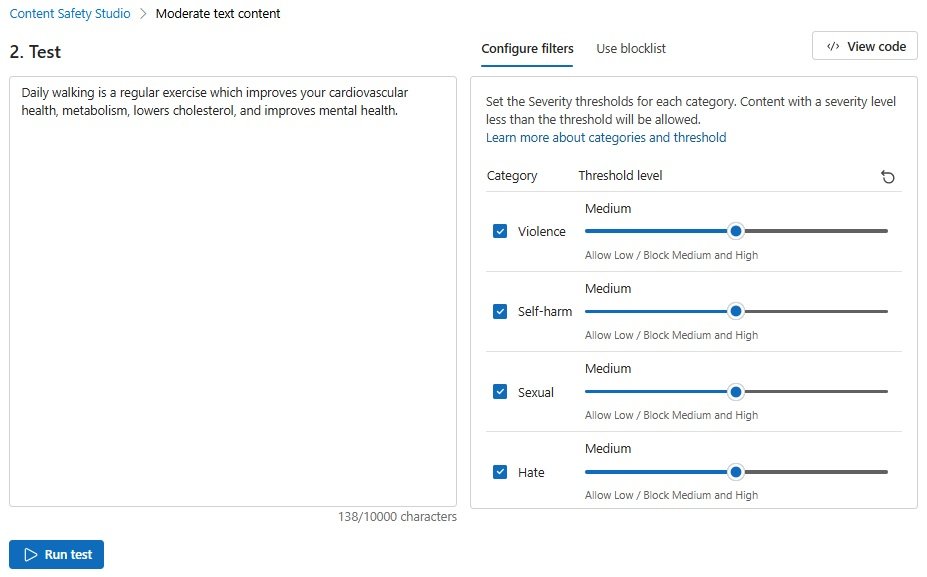
There are some samples we can try. What I have done is to create my own text to test:
Daily walking is a regular exercise which improves your cardiovascular health, metabolism, lowers cholesterol, and improves mental health.
The input is shown below:
Below are the moderation results:
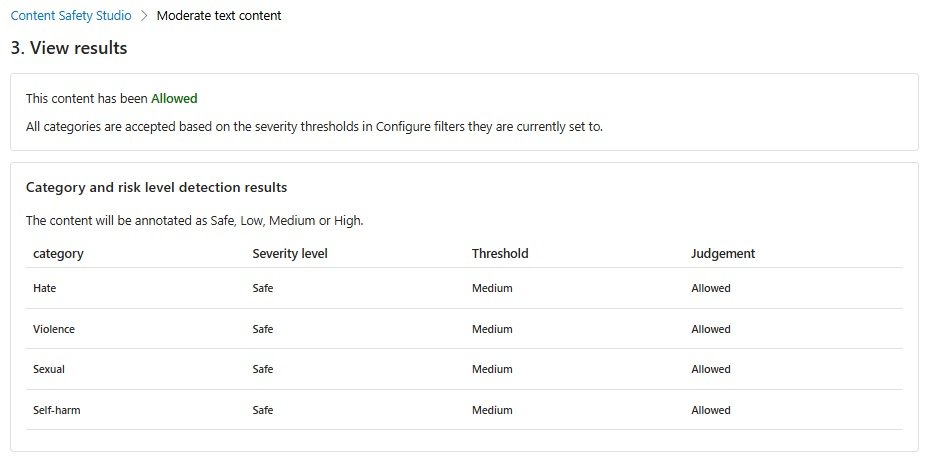
We can see the text relates to exercise and health benefits and is innocuous and is classified as Safe.
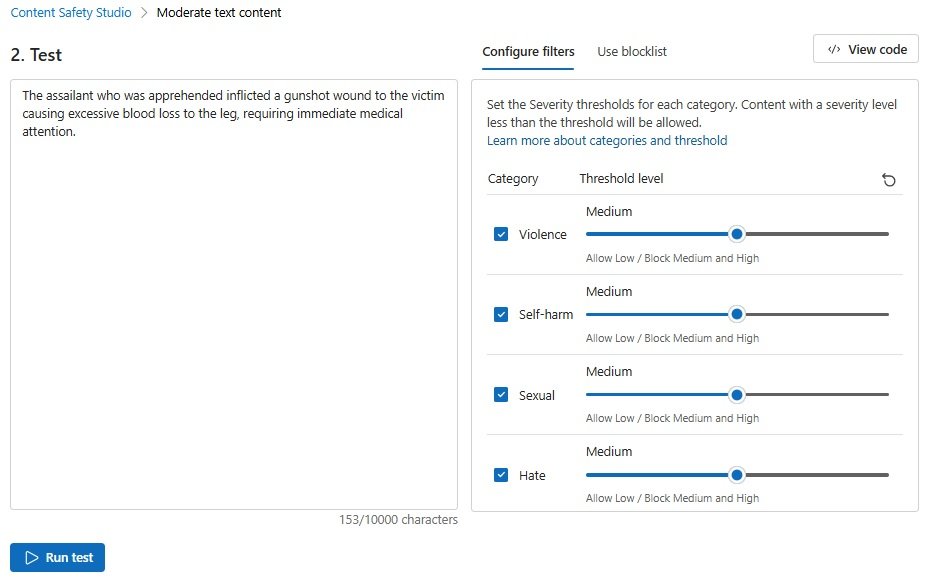
Another example is a text that is more violent in nature:
The assailant who was apprehended inflicted a gunshot wound to the victim causing excessive blood loss to the leg, requiring immediate medical attention.
The input is shown below:
Below are the moderation results:
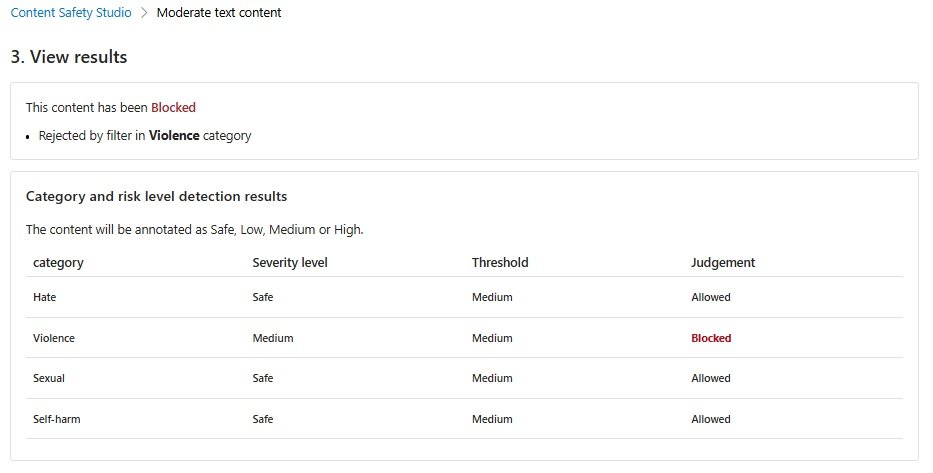
We can see the text is classified into the Violence category and relates to a violent incident relating to a shooting, a victim and is classified with a severity level of Medium. It is given a judgment of Blocked.
Another feature is the Protected material detection feature. The ability to detect if input text is from a third party copyrighted or original work that includes:
Song lyrics
Texts from Books, Articles, Research
Poetry
News stories
Recipes
The purpose for protected content detection is to verify if the input content is original content that does not matches or is derived from other existing third-party, copyrighted content, or AI-generated content. By verifying original content is compliant with intellectual property, permits it to be published.
Below is the landing page for the Protected material detection feature:
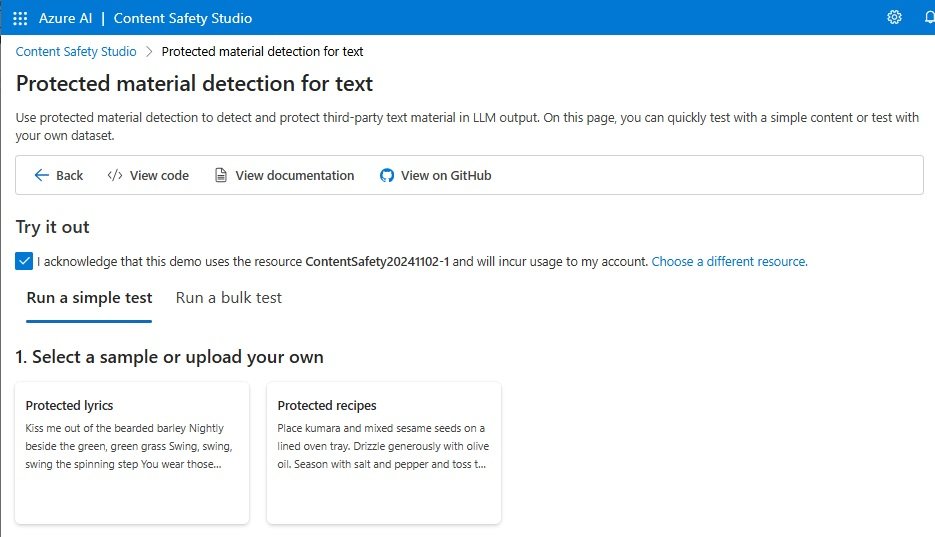
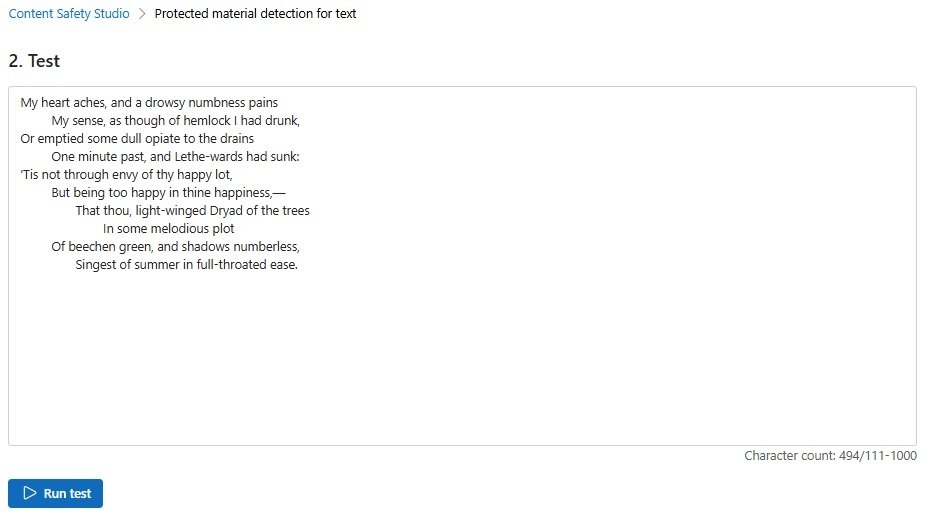
I have pasted in a paragraph from a John Keats poem (most is omitted):
My heart aches, and a drowsy numbness pains
         My sense, as though of hemlock I had drunk,
…
         Of beechen green, and shadows numberless,
                Singest of summer in full-throated ease.
The input is shown below:
Below are the detection results:
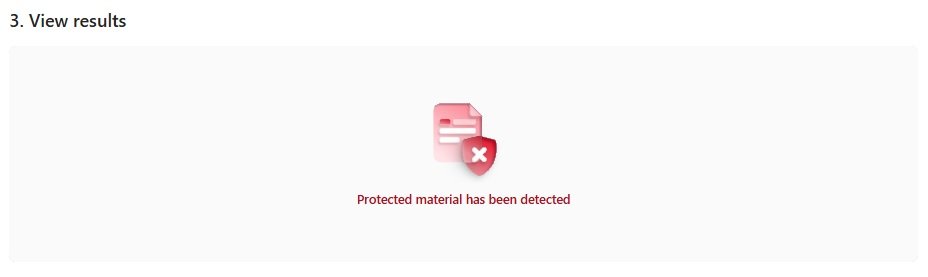
We can see the partial excerpt of the poetry content is blocked.
In the final section, I will discuss limitations of AI Content Safety.
Limitations of AI Content Safety
The Azure AI Content Safety service uses highly trained large language models and vision models to determine safety classifications for text and images. Despite its high precision, there is content that is incorrectly classified as safe when the actual content is unsafe (false positive). There is also content that is incorrectly classified as unsafe when the actual content is safe (false negative).
The false positives affect and reduce the precision of a trained AI model, and the false negatives affect and reduce the recall of a trained AI model.
Before any content safety service is deployed into a production environment, it should be thoroughly tested with many cases and monitored while in use to assess outcomes.
Where incorrect classifications are detected, there should be intervention from the application to block the content and ensure that it is not displayed.
That is all for today’s post.
I hope that you have found this post useful and informative.

Andrew Halil is a blogger, author and software developer with expertise of many areas in the information technology industry including full-stack web and native cloud based development, test driven development and Devops.

