
Welcome to today’s post.
In today’s post, I will explain what Generative AI Models are, what Predictive (Traditional) AI Models, and what the differences are between then when we compare them.
I will also show how to provision resources in Azure to create and use generative AI models within the Azure AI Studio.
Finally, I will show how to create an AI Chat Assistant to show how a Generative AI Model is used.
Generative AI Models and OpenAI
The Generative AI Models that are used in Azure are provided from OpenAI, which is an independent research organisation that provides different types of generative AI models. The OpenAI services provided through usage within Azure are known as Azure OpenAI.
The different types of generative AI models available include:
GPT-4 models – these generate natural language and code completions from natural language prompts.
GPT-3.5 models – these generate natural language and code completions from natural language prompts and optimised for chat interactions.
Embeddings models – these convert text into numeric vectors, with usefulness in language analytics where we compare text sources for similarities.
DALL-E models – these are used to generate images from natural language prompts.
The GPT (generative pre-trained transformer) models are text generation models that are trained to understand natural and formal languages. Later, I will show how to deploy on of these GPT models and use them within an AI Assistant.
Each Azure OpenAI Service resource has two pricing tiers:
Standard
Provisioned Throughput Units (PTU)
The Standard pricing tier is based on on-demand usage. That is, you pay for what you use.
The Provisioned Throughput Units tier is based on hourly usage per throughput unit (PTU), minimum scaling increment, and monthly reservation cost per PTU.
In addition, each language model has a Context, which is the maximum number of tokens that can be handled for each response.
There are additional, input and output costs per 1,000 tokens.
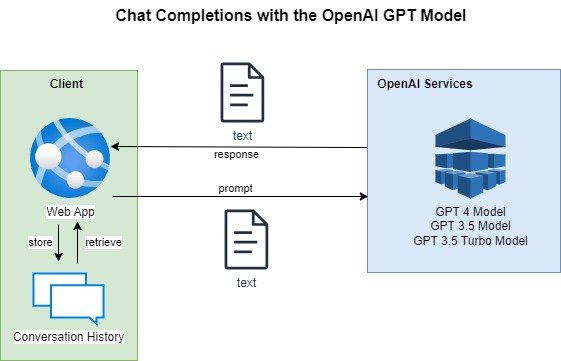
Below is a diagram that shows how a typical chat client sends text prompts to one of the OpenAI GPT models, receives text chat completion responses and stores the conversation history to provide context in the next call to the generative AI GPT model in the conversation:
In the next section, I will explain Predictive AI models.
What are Predictive AI Models?
Predictive AI models are traditional models that are trained using datasets and machine learning rules and algorithms to make predictions, classifications, and even decisions that are based on inputs that are based on patterns detected between the input datasets. The data within the training dataset is specific to a particular domain or function that the model is targeted for.
The rules and algorithms used in predictive AI models are implemented by developers, who then train the models on smaller datasets so that the rules and algorithms can be refined.
Examples of predictive AI models would include:
- A language understanding model that is trained to predict the intention of a person who enters a sentence that requests help to calculate their insurance.
- A vision AI model which is an image classification model that is trained to recognize variations of plates as round, square or rectangular shaped.
- A document form intelligence model that is trained to classify a document form as a company receipt document or a business receipt document.
By providing a sufficiently minimum number of training datasets for each of the above predictive AI models, we can train the models to make accurate predictions or classifications on data inputs.
In the next section, I will explain Generative AI models.
What are Generative AI Models?
Generative AI models are non-traditional machine learning models that are developed using neural networks, deep learning and machine learning.
They are trained purely using datasets and identify patterns between them, which are used to generate variations between the content of the datasets. Much larger datasets are used to train generative AI models, with sub-sets of the data within the model used to train subsets of a domain or function that the model is targeted for.
Think of the neural networks that are used to develop generative AI models are analogous to the neurons in the brain, which are nodes that are interconnected with edges (or synapses). By feeding datasets into the model, nodes of data within the neural network are reinforced with a weighting, which then establishes patterns for variations of the datasets.
When new content is fed into the generative AI model, a new variation of existing content is created with new weightings and reinforcements within the neural network.
The new variation is then used to generate new content based on the new nodes within the neural network. It does this by using a prompt, which is derived from data within existing reinforced nodes.
In the next section, I will explain the difference between Generative AI models and Predictive AI models.
What is the Difference between Generative and Predictive AI Models?
As I mentioned, the Generative AI Model uses a combination of the following:
Machine Learning
Deep Learning
Neural Networks
Whereas Predictive AI Models use mostly a combination of the following:
Machine Learning Algorithms
Machine Learning Rules
Rather than using AI models to form predictions, classifications or decisions, generative AI models are used to generate new content based on pattern identification and new variations from the patterns.
The ability to generate new data from existing trained data is the main strength of Generative AI.
The other difference is the amount of training, with Generative AI models trained with large datasets that are very diverse and cover many different functions and domains. Prediction AI models are trained with data specific to the function or domain of the model.
A familiar example in the generation of new data from existing data is in the generation of new images from existing images, where the new images are variations of content within existing images.
In the next section, I will show how we provision resources in Azure to allow us to use generative AI models.
Provisioning an Azure OpenAI Services Resource
Before we can use any of the Generative AI models in Azure, we will need to provision an instance of an Azure OpenAI Services resource.
After we have created an Azure OpenAI Service resource in a region that supports generative AI model processing.
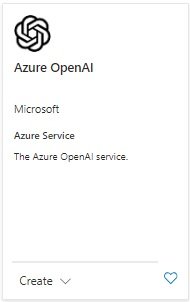
In the Azure Portal, search for “openai” and the following Azure service card will display:
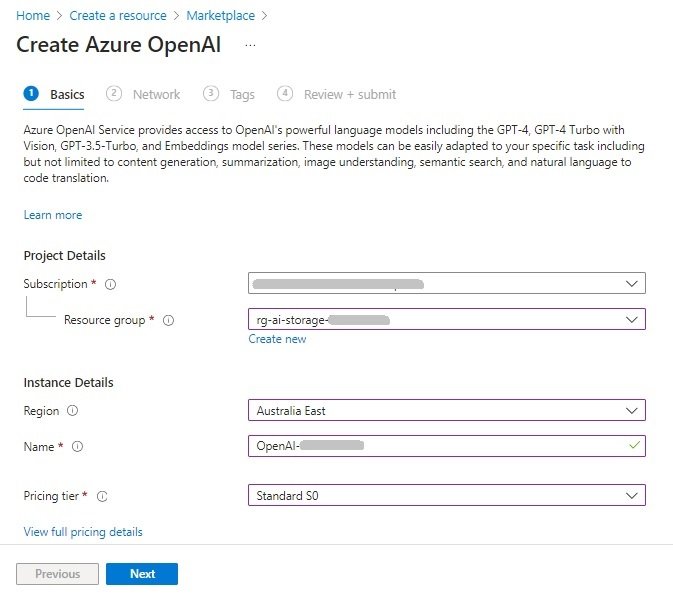
In the resource creation screens, you will require the following parameters:
- Azure subscription
- Resource group.
- Region location.
- Instance name.
- Pricing tier.
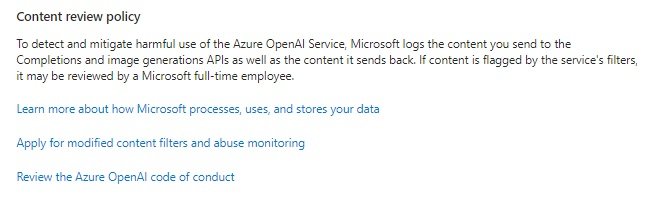
You will also see a content review policy, which lets you know that any questionable or harmful content that is sent to the OpenAI image generation and any content that is returned will be reviewed.
Once the Azure OpenAI Service resource is created, you will be able to access the Azure AI Studio, which is accessible from the resource overview:
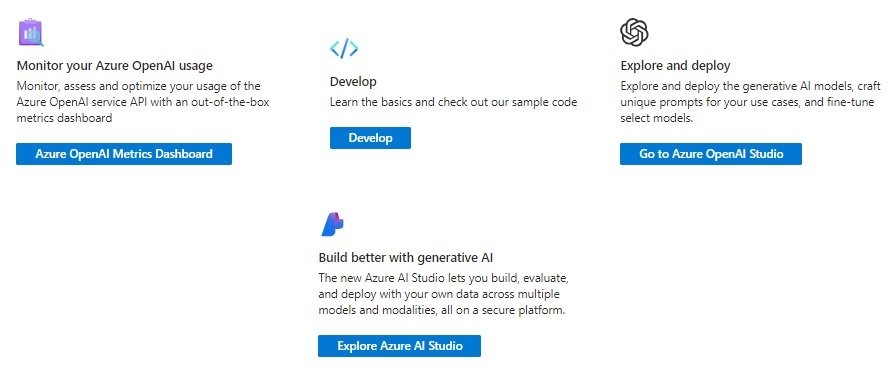
In the next section, I will show how to use the Azure AI Studio to use deployed generative AI models.
Using Azure AI Studio for Evaluating Generative AI Models
When the Azure AI Studio opens, the landing page displays a Chat playground.
The chat console is not enabled, to enable it, we will need to first select one of the available deployed OpenAI GPT generative AI models.
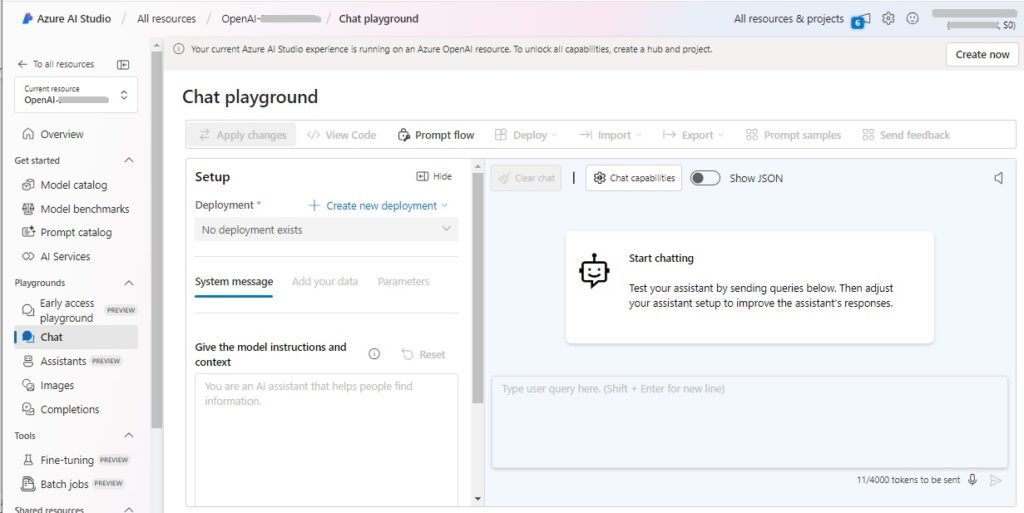
The OpenAI GPT generative AI models are natural language processing models that are trained to produce conversational level responses and some of the models can also produce code. One of the most popular deployments of the GPT models is ChatGPT, which is from the deployed gpt-35-turbo generative AI natural language model.
ChatGPT is a consumer version of the GPT models I mentioned earlier.
In the Chat playground, I will show how we can use one of the chat models to send messages and receive intelligent responses.
In the Setup, in the Deployment field, select the Create new deployment action and the following drop-down context menu will appear with two options as shown:
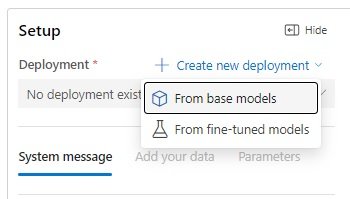
After selecting the option From base models, a dialog box will appear that allows you to select a chat completion model:
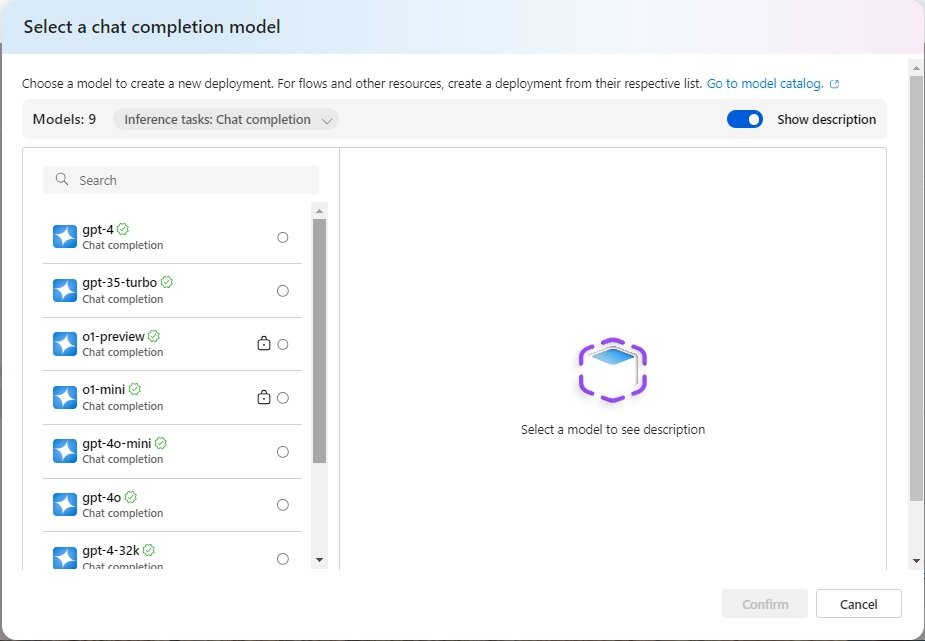
With the gpt-35-turbo chat completion model, we see that the language model is suitable for conversational interfaces. The Chat Completion API takes as input a prompt string, then returns a completion that is appended to the prompt. The completion is the message generated by the model.
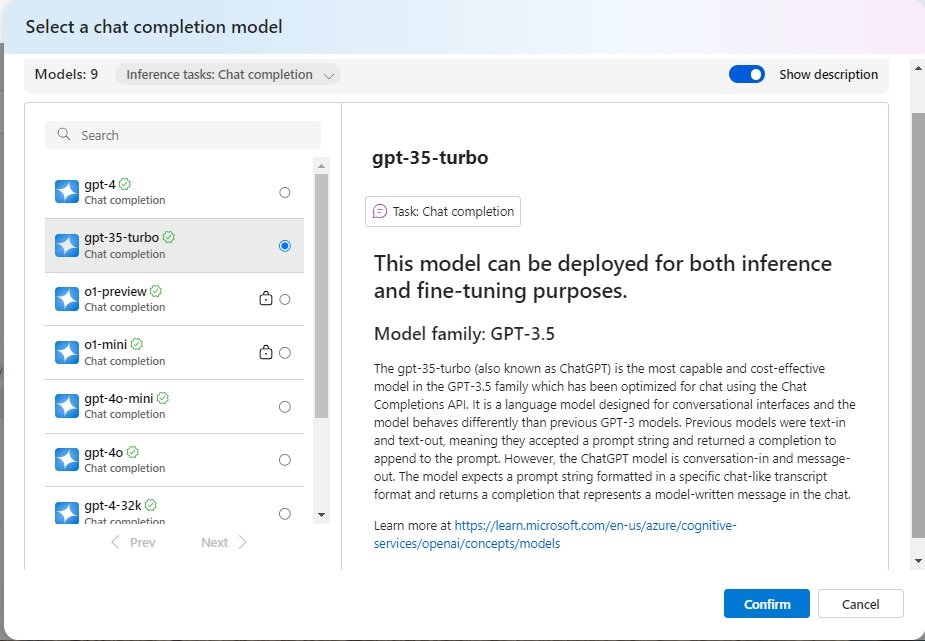
The gpt-35-turbo-16k chat completion model, is another model optimised for natural language conversational interfaces, with a token limit of 16k per minute.
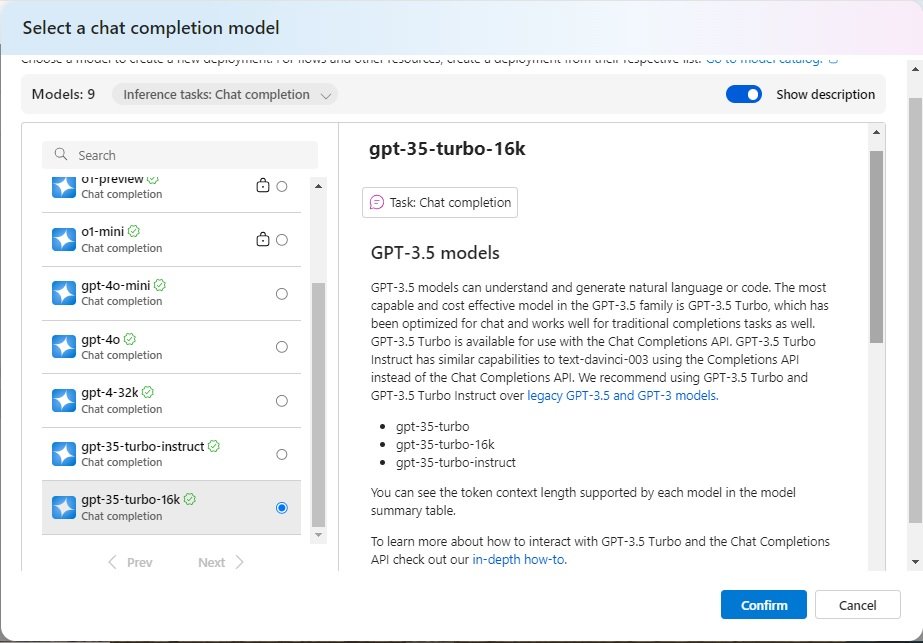
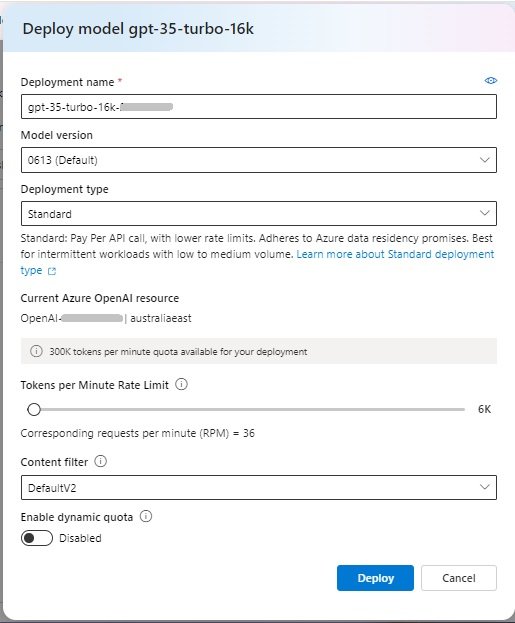
When selecting this model, we are taken to the model deployment dialog, where we specify the following:
- Deployment name.
- Model version.
- Deployment type.
- Tokens per minute limit.
- Content filter.
- Enabling the dynamic quota.
The deployment dialog is shown below:
In the next section, I will show to use the deployed generative AI GPT Chat Completion natural language model to experiment with a Chat AI Assistant.
A Chat AI Assistant used with a Deployed Generative AI Chat Completion Model
Once the chat completion model is deployed, the Chat playground is enabled and ready for you to enter prompts to kick off a conversation with the AI Assistant:
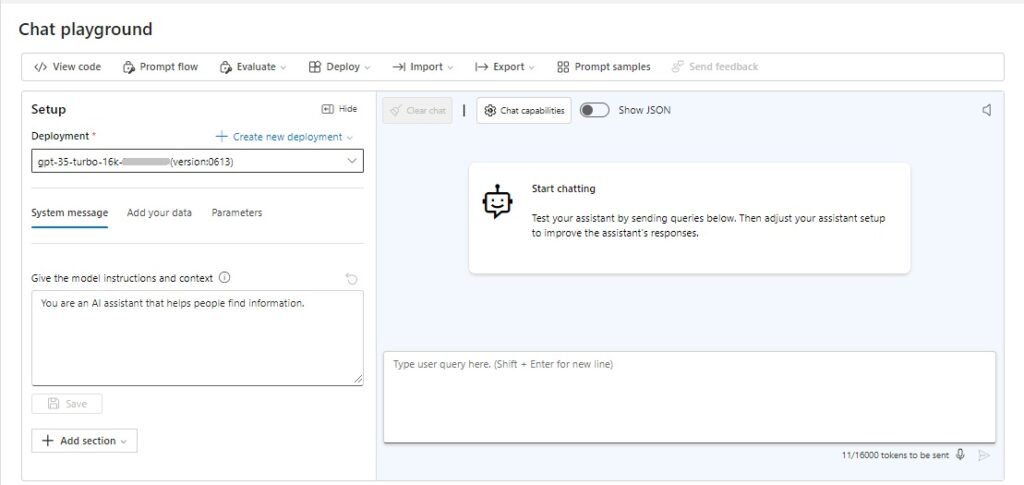
The area of the playground where you give the model instructions and context has the default instruction:
You are an AI assistant that helps people find information.
The model instruction, which is provided from the system is a context and a set of instructions given to the model to set the quality and safety of the model’s outputs.
You can set the rules to restrict the responses to the user:
You are an AI assistant that helps people find answer questions about native cloud development. An initial prompt is shown below:
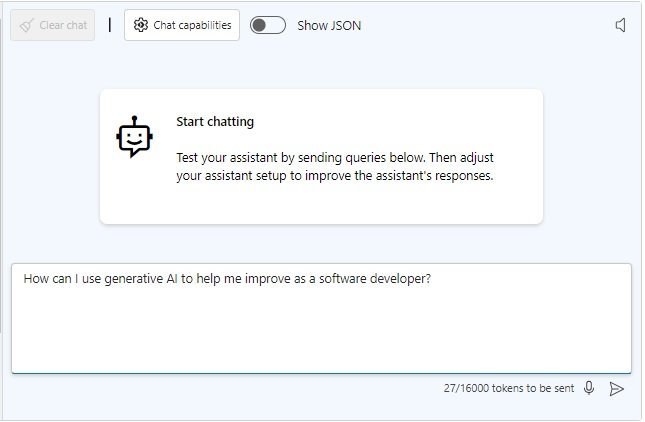
The response from the model is received in JSON is shown below:
[
    {
        "role": "system",
        "content": "You are an AI assistant that helps people find information."
    },
    {
        "role": "user",
        "content": "How can I use generative AI to help me improve as a software developer?"
    },
    {
        "role": "assistant",
        "content": "Generative AI can be a useful tool for software developers to improve their skills. Here are a few ways you can…
    }
]
Notice that there are three roles in a GPT completion:
system
user
assistant
The system role is that of the model. The content within this role element is for the system message.
The user role is for the user model, The content within this role element is for the prompts that the user is submitting to the model AI assistant.
The assistant role is for the model response. The content within this role element are the answers returned to the user.
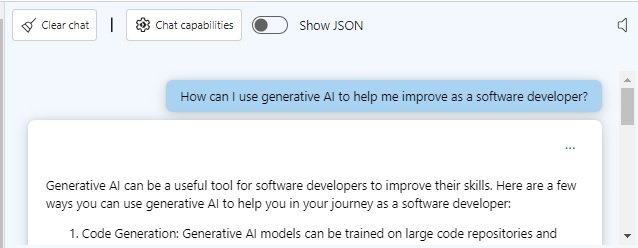
Below is an excerpt showing part of the assistant’s completion response:
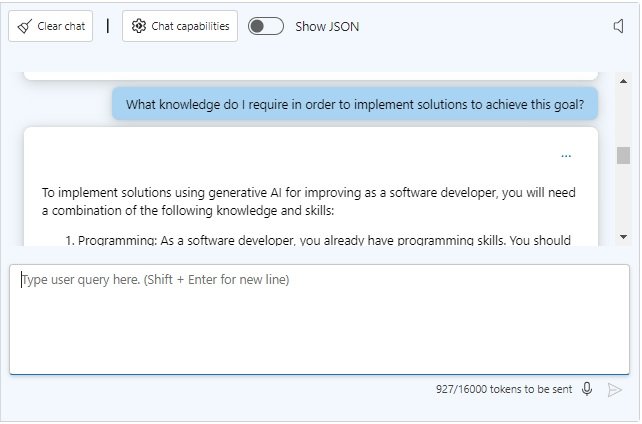
We then submit another prompt to focus on knowledge required:
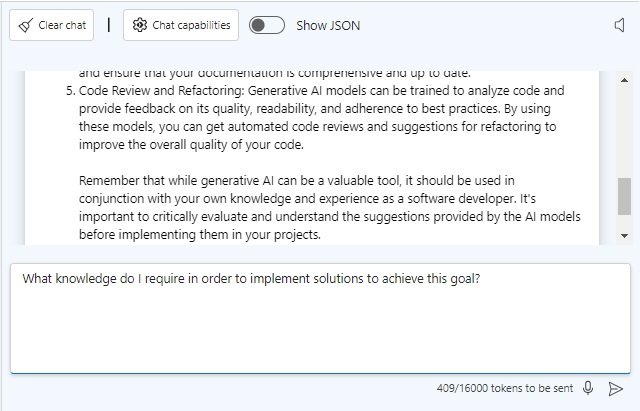
Below is an excerpt showing part of the assistant’s completion response:
We then submit another prompt to focus on resources required:
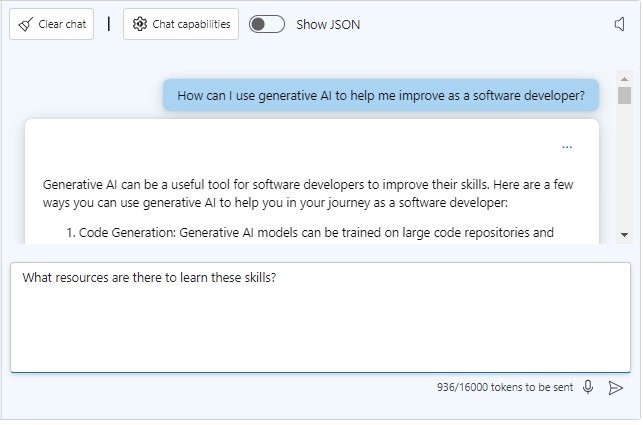
Below is an excerpt showing part of the assistant’s completion response:
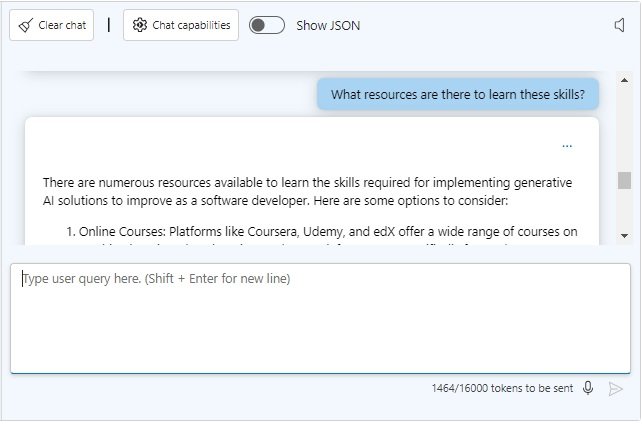
What you will have noticed, is that for each completion response, the JSON response will add the user content object and generated response of each assistant object to the end of the current role objects. Below is the JSON structure showing the first three submitted prompts and assistant responses (with the content truncated for brevity):
[
    {
        "role": "system",
        "content": "You are an AI assistant that helps people find information."
    },
    {
        "role": "user",
        "content": "How can I use generative AI to help me improve as a software developer?"
    },
    {
        "role": "assistant",
        "content": "Generative AI can be a useful tool for software developers to improve their skills. Here are a few ways you can…”
    },
    {
        "role": "user",
        "content": "What knowledge do I require in order to implement solutions to achieve this goal?"
    },
    {
        "role": "assistant",
        "content": "To implement solutions using generative AI for improving as a software developer, you will need a combination…”,
    },
    {
        "role": "user",
        "content": "What resources are there to learn these skills?"
    },
    {
        "role": "assistant",
        "content": "There are numerous resources available to learn the skills required for implementing generative AI solutions to
improve as a software developer. Here are some options to consider…”
    }
]
What you will have noticed is that the assistant responses are determined by the context of previously submitted prompts.
Consider the second prompt that we submitted:
What knowledge do I require in order to implement solutions to achieve this goal?
Notice that the model knows that we are asking about knowledge requirements that relate to generative AI, which was asked for in the first prompt. Among the checklist of answers include some typical AI related model training related topics: include Machine Learning and AI, Data Preparation, Model Selection and Training, and Evaluation and Validation.
If you were to clear the chat history (with the Clear chat button), then re-submit the third prompt as shown:
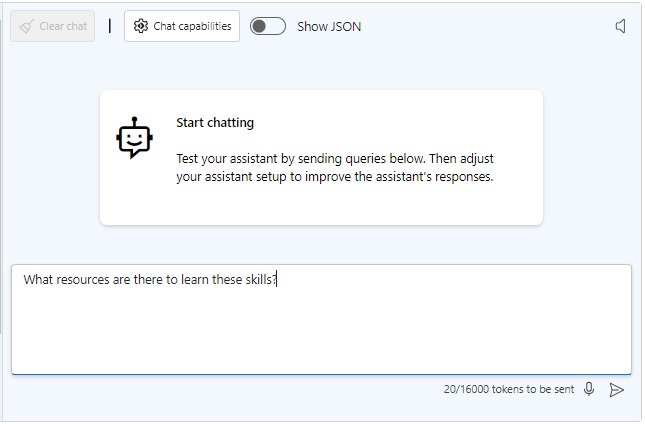
What you will see a checklist of places to look to learn any skill, which includes:
Online Learning Platforms, YouTube Tutorials, Online Communities and Forums, Books and E-books, Local Classes and Workshops and Podcasts and Audiobooks. There is no mention of Generative AI or Machine Learning! The context of the discussion is lost!
In this post, I have explained what Predictive and Generative AI models are, showed how to provision generative AI resources in Azure, and apply use of a deployed GPT Chat Completion Model within an AI Chat Assistant.
That is all for today’s post.
I hope that you have found this post useful and informative.

Andrew Halil is a blogger, author and software developer with expertise of many areas in the information technology industry including full-stack web and native cloud based development, test driven development and Devops.

