

Welcome to today’s post.
In today’s post I will be showing you how to connect a Question and Answer (FAQ) Knowledge Base with an Azure Chat Bot.
In a previous post I showed you how to implement a Custom Question and Answer natural language processing layer with the Azure AI Language Studio.
To be able to use our published Question and Answer language project in a cloud hosted environment in a Web application as a Chat Bot, we will need to connect it to an Azure Bot Service, which is under a Web app within an App service plan.
Overview of the Architecture of the Azure Chat Bot Knowledge Base Resources
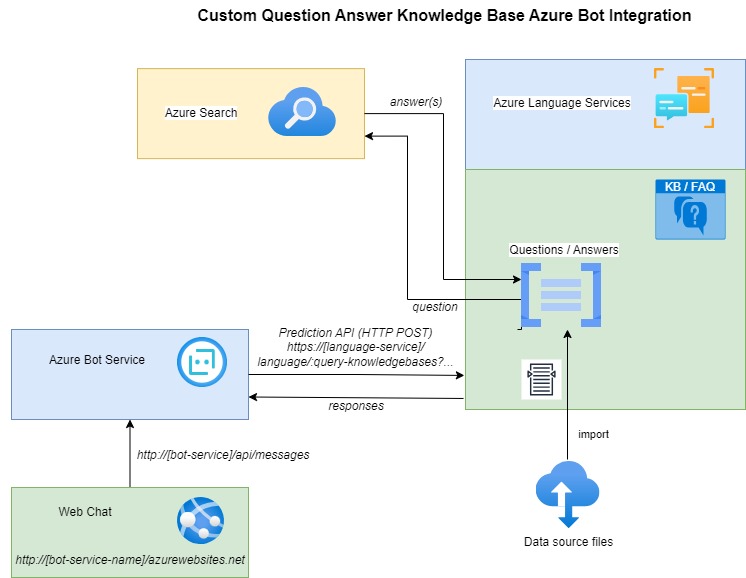
The setup of the Web Chat Bot KB requires an Azure Language Service resource that contains a Custom Question Answer project resource, which is connected to an Azure Search resource that generates the search results from a submitted question.
A deployed KB NLP Project exposes a Prediction API that returns the results of a supplied input question to an Azure Bot Service, which returns the results through a Chat Bot messaging API endpoint.
The resources are shown below:
In the next section, I will show how to create an Azure Bot Service resource, which is used to provide endpoint messaging API for communication with the KB language resource.
Creating an Azure Bot Resource for the Knowledge Base Data
I will first show how to create the Azure Bot Service resource, which will provide the endpoint for which we can communicate with the question-and-answer data layer within the language service.
Recall when we deployed our Question-and-Answer Knowledge Base project, it provided us with a Prediction API HTTP endpoint, where we could post questions to the KB, and receive the matching answer.
Further down the deployment summary page, there is another button named Create a bot which can be used to create an FAQ/KB chat bot as its own Azure Web application.
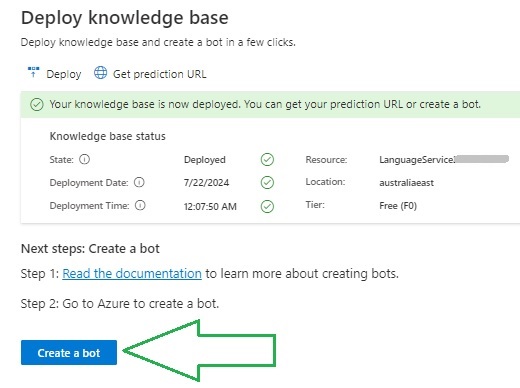
Click on the button to start the creation process.
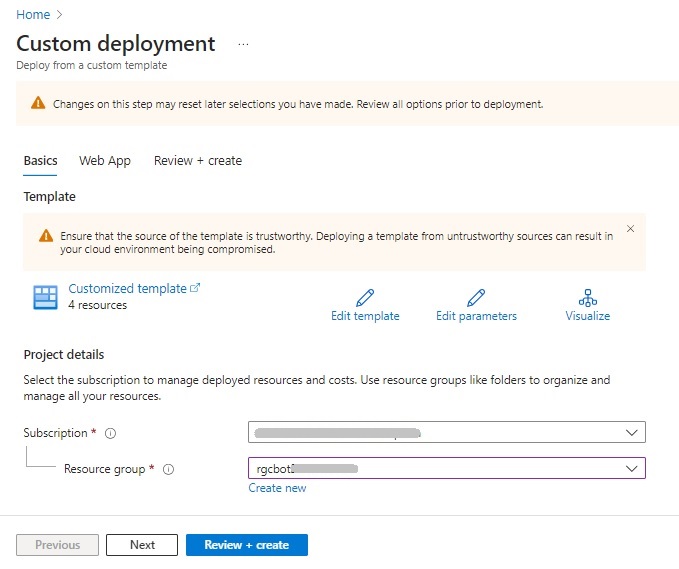
In the first creation page, Custom deployment, we first specify our subscription and resource group:
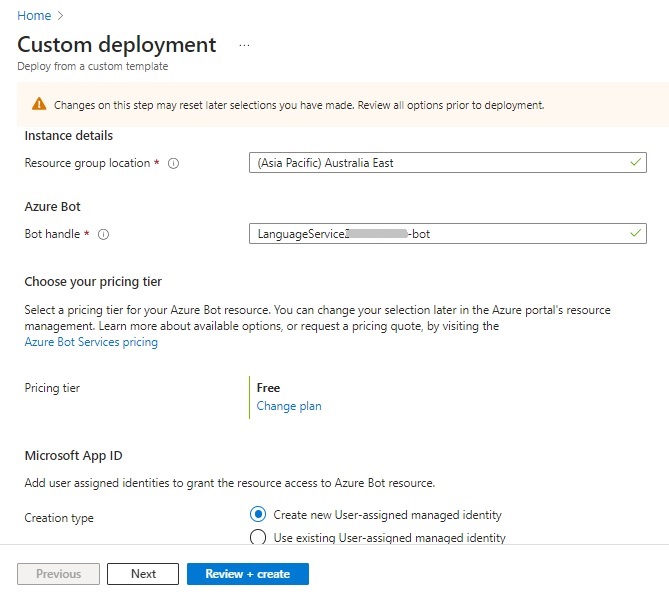
Then further down, we specify the resource group location and a unique bot handle, pricing tier, and security identity:
In the Web app tab, we then specify the App Service App name, which is the name of the web application hosting the chat bot.
We then specify the SDK language, and App Service plan.
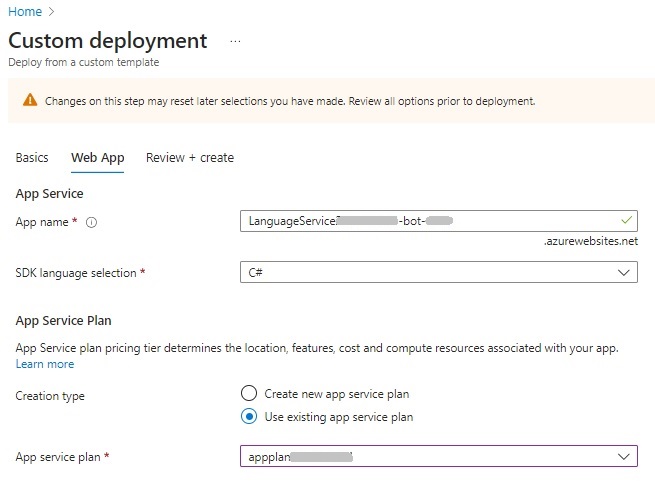
The name that we specify for the Web App name must be different from the name of the app service of the published Question-and-Answer language resource.
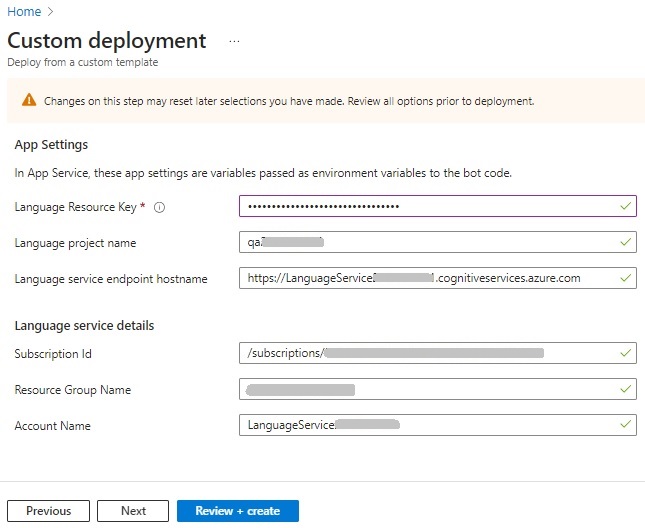
The next part of the deployment wizard requires us to specify the language resource key. The remaining settings, the language project, language service endpoint, and language service details are supplied.
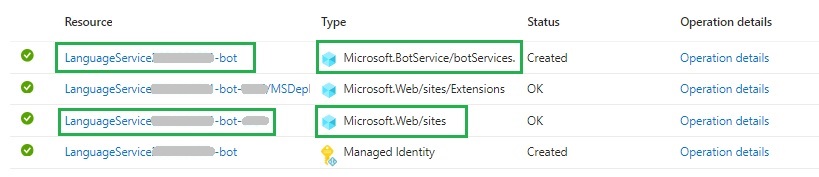
After creation, you will see the following resource types created:
Bot Service
App Service Web Application
Managed Identity
When you click on the Azure Bot resource, you will see there is an endpoint that is used to post and receive messages from the KB language processing layer.
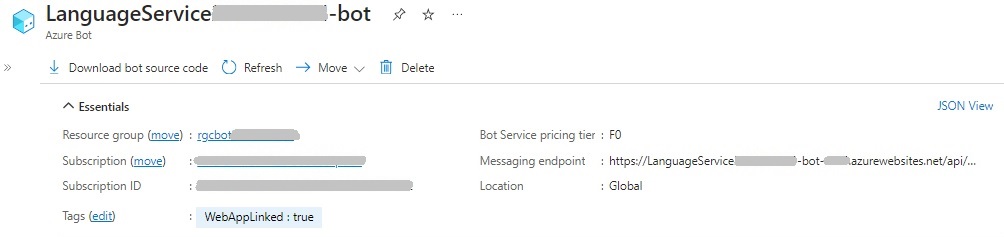
There is also the additional ability to download the bot source code as a compressed ZIP file, which can then be uncompressed and opened in Visual Studio for further customization.
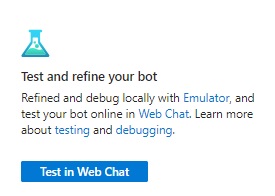
Further down the resource overview page, there is an option that allows you to run tests on the FAQ chat bot:
The Web Chat test that opens is a chat dialog where you submit messages to the FAQ Bot. The FAQ Bot then runs a search using Azure Search to locate the matching answer or answers that correspond to the entered question. Where the question does not match an existing question exactly, the search will find the most closely matching question and output its answers in the response.
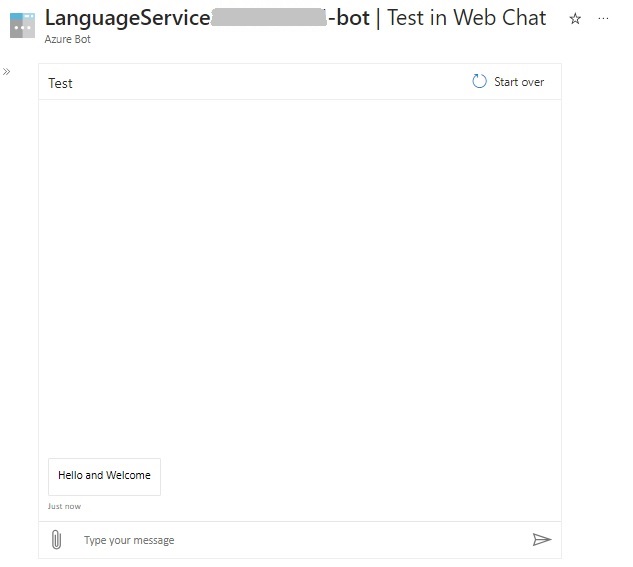
Below is the Web Chat Bot which the first answer-response received after submitting the first question:
“Why does the device switch not respond to my instruction?”
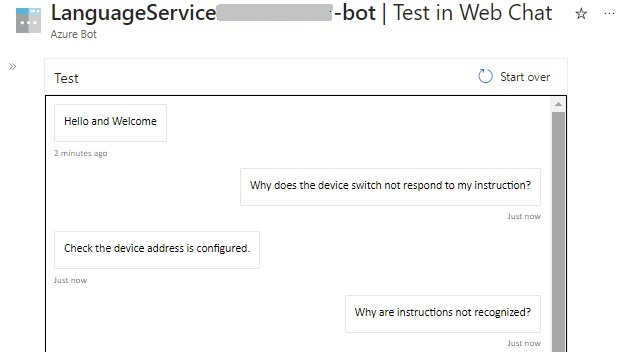
The first question returns a clear answer, however, the next question:
“Why are the instructions not recognized?”
Has more than one possible matching question.
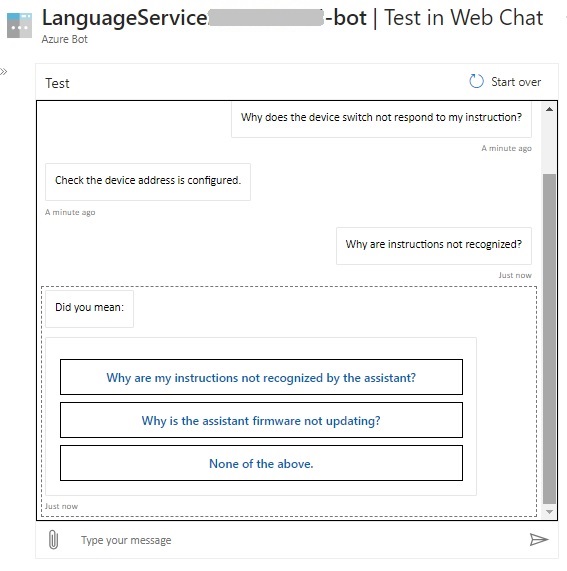
We can see that the FAQ chat bot is working as expected.
We have just seen how to integrate a Custom Question and Answer (FAQ) NLP Project into an Azure Bot resource. We then tested the new FAQ Chat Bot in a Web Chat dialog.
As we did for a CLU Chat Bot in a previous blog, we could also integrate the FAQ Chat Bot into the same web site and use it as an online help resource for end users.
That is all for today’s post.
I hope that you have found this post useful and informative.

Andrew Halil is a blogger, author and software developer with expertise of many areas in the information technology industry including full-stack web and native cloud based development, test driven development and Devops.